
TL;DR: What You Need to Know
One-click duty calculation vs manual native workflow
Native Odoo has zero customs automation
Automatic duty calculation with the add-on
Add-on setup vs hours of manual config
Odoo's native Landed Cost module handles freight allocation but has no HS code management, no automatic duty calculation, and no customs invoice generation. The Odoo Skillz add-on automates all four manual steps importers currently do in spreadsheets.
If your business imports goods from overseas, you have probably already discovered that Odoo's built-in Landed Cost module does not handle customs duties automatically. Every purchase order requires manual calculation of Harmonized System codes, country-specific tariff rates, CIF values, and duty amounts. This guide compares Odoo's native capabilities against the Odoo Skillz Customs Duties Add-on, with assessments of where each approach works and where it falls short.
Understanding Odoo's Native Landed Cost Module
Odoo includes a Landed Cost module within the Inventory application that allows businesses to allocate additional costs across the products received in a shipment. When you receive goods, you can create a Landed Cost record, link it to the receipt, and add cost lines for freight, insurance, and other charges. Upon validation, Odoo distributes these costs across the stock valuation layers of the received products, updating their average cost.
This functionality works well for domestic shipments where the additional costs are simple. For example, if you receive a pallet of goods and the freight charge is $100, Odoo can split that $100 across all items on the pallet based on quantity, weight, or volume. The result is accurate stock valuation that reflects the true cost of acquiring the inventory.
However, the native module was designed with domestic freight in mind, not international imports. It has no awareness of customs-specific requirements. There is no field for HS codes, no lookup table for country-specific tariff rates, no automatic calculation of duty based on CIF value, and no generation of customs documentation. For businesses that import goods, this means the most complex and error-prone part of the landed cost calculation must be done entirely outside of Odoo.

The Four Manual Steps Every Importer Faces
When you import goods using only native Odoo, you must complete four manual steps for every purchase order. These steps are time-consuming, error-prone, and require specialized knowledge that most procurement staff do not have.
Step One: Harmonized System Code Lookup
Every product that crosses an international border must have a Harmonized System code, a standardized numerical method of classifying traded products. The HS code determines the tariff rate that applies to the product. Using the wrong code can result in underpayment of duties, which triggers penalties, or overpayment, which reduces your margins.
For a typical shipment containing fifty different SKUs, looking up the correct HS code for each product takes between ten and fifteen minutes if you are experienced and have access to the right databases. For less experienced staff, each lookup can take thirty minutes or more. At fifty SKUs per shipment, this step alone consumes eight to twelve hours of staff time.
Many businesses outsource this work to customs brokers, who charge between fifty and one hundred dollars per lookup. For fifty SKUs, that is $2,500 to $5,000 per shipment. Over twenty shipments per year, broker fees alone can reach $50,000 to $100,000.
Step Two: Tariff Rate Research
Once you have the HS codes, you need the tariff rate for the specific country pair involved in the shipment. The rate depends on the origin country, the destination country, and any trade agreements in effect. These rates change frequently as governments negotiate new agreements or modify existing ones.
Finding the correct rate typically involves downloading tariff schedules from government websites, searching through PDF documents for the relevant HS code prefix, and cross-referencing with current trade agreement terms. This process takes two to three hours per shipment for experienced staff. For newcomers, it can take an entire day.
The risk of error is significant. Using an outdated rate or missing a new trade agreement can result in substantial overpayment or underpayment. Customs authorities do not accept ignorance as an excuse for incorrect duty calculations.
Step Three: CIF Value Calculation
Customs duty is calculated on the CIF value, which stands for Cost, Insurance, and Freight. This means you must add the product cost, the freight charge, and the insurance premium to arrive at the dutiable value. You must also correctly allocate freight and insurance across all product lines in the shipment.
In a spreadsheet, this requires formulas that pull data from multiple sources: the purchase order for product costs, the freight invoice for shipping charges, and the insurance certificate for coverage amounts. One incorrect cell reference, one wrong formula, or one accidental deletion can corrupt the entire calculation. And because spreadsheets lack audit trails, you may not discover the error until customs challenges your declaration.
This step typically takes one to two hours per shipment for experienced staff. For complex shipments with multiple currencies or partial deliveries, the time can double.
Step Four: Manual Entry into Odoo
Finally, after calculating the duty amount for every product line, you must manually enter these values into Odoo's Landed Cost module. You create a new cost line for customs duty, enter the calculated amount, and validate the landed cost. If you have fifty product lines, you enter fifty duty amounts. If you make a typo, the stock valuation for that product is wrong until you discover and correct it.
This step takes approximately one hour per shipment. Combined with the previous three steps, the total manual effort per shipment ranges from twelve to eighteen hours. At twenty shipments per year, that is two hundred forty to three hundred sixty hours of staff time. At fifty dollars per hour, the annual labor cost alone is $12,000 to $18,000.

What the Odoo Skillz Customs Duties Add-on Automates
The Odoo Skillz Customs Duties Add-on is a module that installs directly into your existing Odoo instance. It extends the native Landed Cost model with customs-specific fields and automation, transforming the four manual steps described above into a single click.
HS Code Management
The add-on adds HS code fields to products and product categories. You define the correct HS code once, and it automatically populates on every purchase order, receipt, and landed cost. The system validates the format to prevent entry errors. For businesses with large catalogs, you can import HS codes in bulk via CSV.
This eliminates the need for repeated lookups. Your procurement staff never needs to search government databases or pay broker fees for routine classifications. The HS code is simply there, on every product, ready for automatic use.
Country-Specific Tariff Rate Tables
The add-on includes a configurable tariff rate table that supports any origin-destination country pair. You enter the rate once, and it applies to all future shipments between those countries. When rates change, you update the table in one place, and all subsequent landed costs use the new rate automatically.
This eliminates the need to download PDFs, search through tariff schedules, or cross-reference trade agreements for every shipment. The correct rate is always available, always current, and always applied consistently.
Automatic Duty Calculation
With a single click, the add-on calculates the duty for every line on your landed cost. It reads the HS code from the product, looks up the tariff rate from the country table, computes the CIF value from the linked supplier invoices and freight bills, and applies the rate. The result appears instantly on every line, with full transparency into how each number was derived.
This eliminates manual calculations entirely. No spreadsheets, no formulas, no copy-paste errors. The calculation is performed by the system using the same logic that customs authorities expect, ensuring accuracy and compliance.
CIF Auto-Calculation
The add-on automatically computes CIF values by pulling cost data from the purchase order, freight charges from linked vendor bills, and insurance premiums from associated documents. You can override any value manually if needed, but the default calculation handles the math correctly every time.
This eliminates the need for complex spreadsheets and reduces the risk of formula errors. The CIF value is transparent, auditable, and consistent across all shipments.
Customs Invoice Generation
The add-on generates customs declarations and shipping invoices directly from the landed cost record. All data is pre-populated: product descriptions, HS codes, quantities, CIF values, duty amounts, and totals. You can print the document or export it to PDF in one click.
This eliminates the need to copy data into Word templates or customs portals. The document is always consistent with the landed cost data, reducing the risk of discrepancies that trigger customs audits.

Head-to-Head Feature Comparison
| Feature | Native Odoo | Odoo Skillz Add-on |
|---|---|---|
| Price | Free | $699 one-time |
| Freight allocation | By qty/weight/volume | Same + CIF-based |
| HS code management | None | Product + category + country |
| Country tariff rates | None | Any origin/destination pair |
| Automatic duty calc | Manual entry only | One-click automatic |
| CIF calculation | None | Auto + manual override |
| Multi-currency bills | Basic | Multiple per landed cost |
| Customs invoices | None | Generate from landed cost |
| Audit reports | Basic history | Full documentation trail |
| Setup time | Hours of config | 5 minutes |
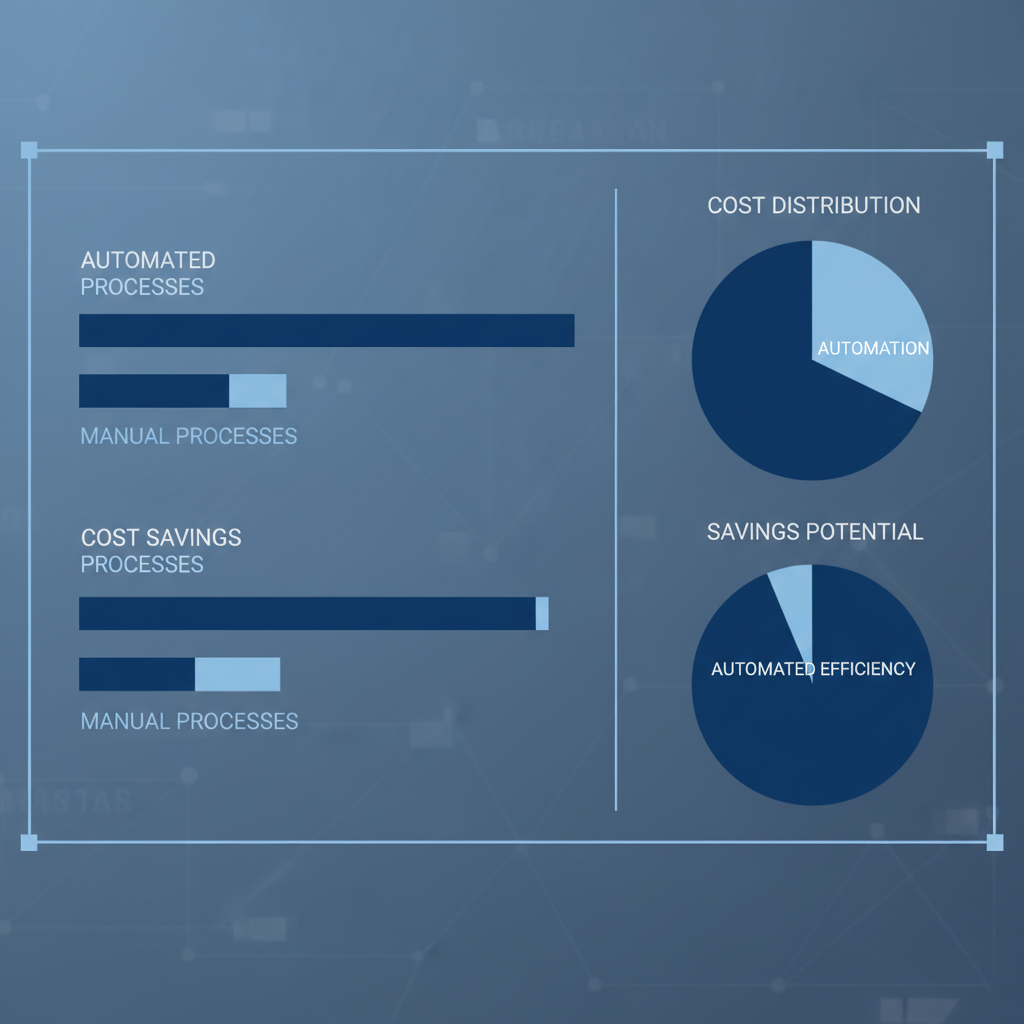
Total Cost of Ownership: The Real Numbers
When evaluating software, businesses often focus on the purchase price while ignoring the operational costs. For customs duty management, the operational costs of manual processes far exceed any software price.
| Cost Item | Native Odoo | With Add-on |
|---|---|---|
| Software | $0 | $699 one-time |
| Staff time (20 shipments/yr at 15 hrs each, $50/hr) | $15,000/yr | $1,000/yr (2 hrs oversight) |
| Customs broker lookups ($75 x 50 SKUs x 20 shipments) | $75,000/yr | $0 |
| Error correction and overpayment (3% of $100K duties) | $3,000/yr | $0 |
| Audit preparation (2 days at $800/day, once per year) | $1,600/yr | $0 (reports ready instantly) |
| Year 1 Total | $94,600+ | $1,699 |
These numbers assume a mid-sized importer with twenty shipments per year, fifty SKUs per shipment, and $100,000 in annual duty payments. Even for smaller importers with five shipments per year, the manual approach costs $3,000 to $5,000 in staff time alone. The add-on breaks even after the first shipment.

When Native Odoo Is Sufficient
Despite its limitations, native Odoo works for some businesses. If you import from only one country with a flat duty rate that never changes, you can calculate the duty once and apply it as a percentage on every shipment. If you have fewer than five SKUs, the manual lookup time is manageable. If you already employ a full-time customs broker who handles all calculations externally, you may not need automation within Odoo.
However, these scenarios are increasingly rare. Global supply chains involve multiple countries, changing rates, and expanding product catalogs. Even small businesses that start with simple imports typically grow into complex multi-country sourcing within a few years. Investing in automation early prevents the pain of manual processes scaling with your business.
Common Mistakes When Using Native Odoo for Imports
Mistake 1: Treating Duty as a Flat Percentage
Many users create a single landed cost line called "Duty 5%" and apply it uniformly to all products. This ignores the fact that different products have different duty rates, that rates vary by country of origin, and that CIF calculation rules change based on shipping terms. The result is systematically incorrect stock valuations that distort your financial reporting.

Mistake 2: Reusing HS Codes Across Product Categories
A common shortcut is to use one HS code for an entire product category. But even within categories, different materials, functions, or specifications can trigger different codes and rates. A cotton T-shirt and a polyester jacket have different codes. A stainless steel screw and a carbon steel bolt have different codes. Using generic codes leads to incorrect duty payments and audit risk.
Mistake 3: Ignoring CIF Requirements
Some businesses calculate duty on the FOB price shown on the purchase order, ignoring freight and insurance. Customs authorities in most jurisdictions require CIF as the duty base. Using FOB understates the duty and creates compliance risk. When auditors discover the discrepancy, penalties and interest can exceed the original duty amount.
Mistake 4: No Documentation for Audits
When customs auditors ask how you calculated a duty amount, a spreadsheet with no version history, no author tracking, and no change log is insufficient. Auditors want to see the methodology, the source data, and the calculation steps. The add-on stores every parameter and shows the complete audit trail for every landed cost.
Implementation Best Practices
Whether you choose native Odoo or the add-on, following these practices ensures smooth operations and compliance. First, always run a pilot with one purchase order before rolling out to all buyers. Process at least ten test transactions including multi-currency vendor bills, partial deliveries, and freight allocations. Verify that every number ties out to your source documents.
Second, document your configuration. Save country rate tables, HS code assignments, CIF override rules, and approval workflows. When a tariff changes or a new trade agreement takes effect, you need to update quickly. A one-page cheat sheet for your procurement team prevents confusion and errors.
Third, train every team member who touches import transactions. They should understand HS code basics, duty verification steps, and how to spot obvious errors. A thirty-minute training session prevents hours of correction work later. Cross-train at least two people so that vacation or turnover does not create bottlenecks.
Fourth, reconcile monthly. Compare your landed cost records to customs declarations, vendor bills, and bank payments. Discrepancies should be investigated immediately, not at year-end. Monthly reconciliation catches errors while they are still easy to fix.
Stop Calculating Customs Duties Manually
The Odoo Skillz Customs Duties Add-on automates HS codes, tariff rates, CIF calculation, and customs invoice generation — all inside your existing Odoo workflow.
FAQ
Does the add-on replace native Landed Cost?
No — it extends it. You use the same Landed Cost menu with additional customs-specific fields and automation.
Can I migrate existing landed costs?
Yes. Existing landed cost records remain unchanged. The add-on adds new fields going forward.
What Odoo versions are supported?
Odoo 17, 18, and 19 — both Community and Enterprise.
Is training required?
No. The interface follows standard Odoo patterns. Most users are productive in 10 minutes.
What about updates?
The add-on receives updates for new Odoo versions. One-time purchase includes 60 days of support.