
TL;DR: What You Need to Know
- Odoo Online blocks custom add-ons by design, but you can still print directly using a browser extension
- Ultraprint bypasses restrictions by capturing print jobs at the browser level, not the server level
- Works in under 10 minutes on Windows, macOS, and Linux without touching Odoo's backend
The Problem: You are on Odoo Online and Cannot Install Add-ons

If you are running Odoo Online, you have likely encountered a frustrating limitation. Odoo's SaaS platform does not allow users to install custom add-ons or third-party modules from the app store. This restriction exists for security and stability reasons, but it creates a significant hurdle for businesses that need functionality beyond the standard offering.
Printing is one of the most commonly requested features that falls into this gap. Whether you need to print invoices, shipping labels, reports, or barcodes, the standard Odoo Online setup leaves you with limited options. You cannot simply browse to the Odoo App Store, purchase a printing module, and install it. The platform locks this capability away from SaaS users.
This limitation affects businesses of all sizes. Small companies running lean operations find themselves manually exporting PDFs and printing them separately. Larger organizations with warehouse staff waste hours on workarounds that should be instantaneous. The productivity cost adds up quickly.
Key Impacts
- Manual PDF exports for every document that needs printing
- Workflow interruptions as staff switch between applications
- Error-prone processes when handling multiple files
The Limitation: Standard Odoo Printing Requires Add-ons or IoT Box
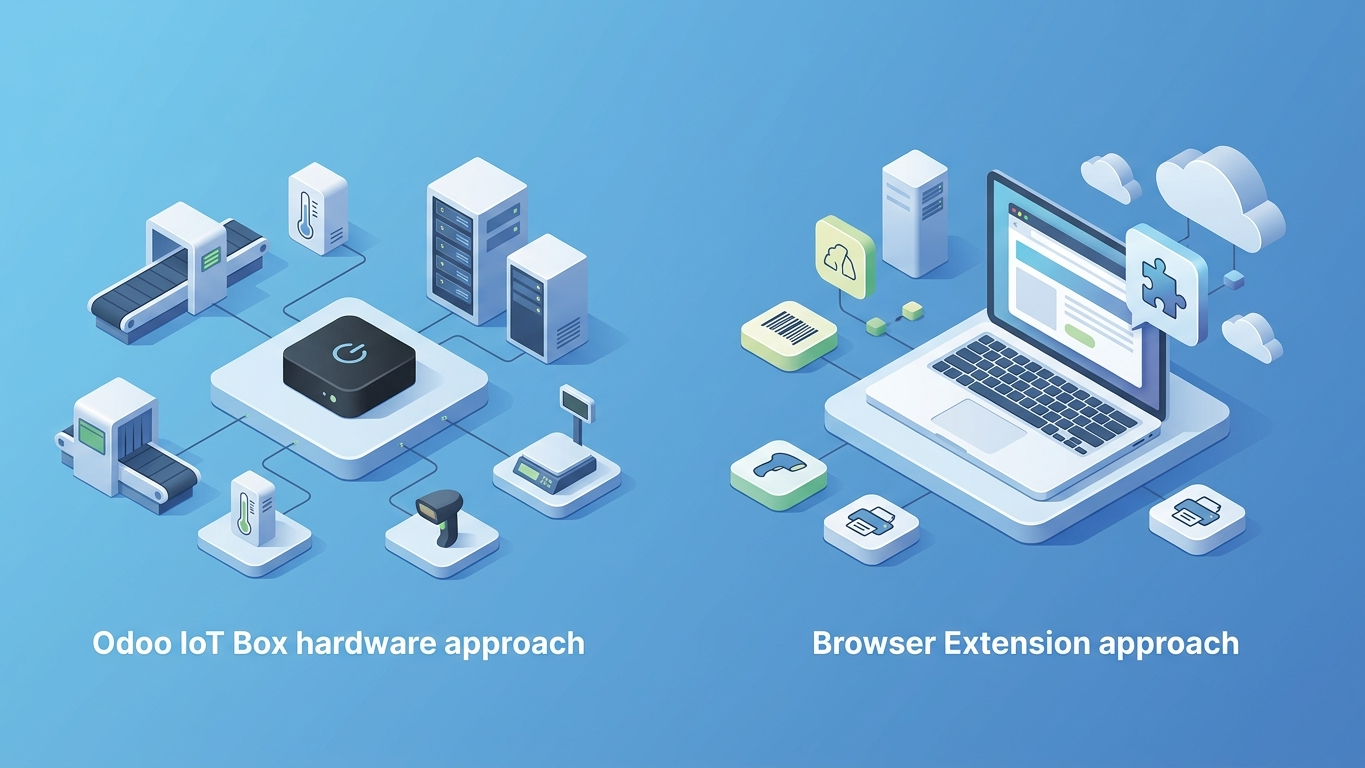
Odoo's native printing architecture assumes one of two scenarios. Either you are running Odoo on-premise or on a server where you can install any add-on you need, or you purchase and configure an Odoo IoT Box to handle print jobs locally, or you use the Ultraprint Hub browser extension for direct printing from Odoo Online.
The IoT Box approach works, but it comes with drawbacks. You need to purchase the hardware, set it up on your local network, and maintain the connection between your cloud-based Odoo instance and your physical printer. For businesses with multiple locations or remote teams, this solution becomes complex and costly.
Alternatively, some printing add-ons promise to bridge the gap. But again, Odoo Online users cannot install these. You are stuck with the default PDF generation and manual download workflow, which breaks the seamless experience that modern business software should deliver.
Comparison: IoT Box vs Browser Extension
- IoT Box requires hardware purchase, network configuration, and ongoing maintenance
- Browser extensions work immediately with no additional hardware
- IoT Box ties you to a physical location; extensions work from anywhere
The Solution: Ultraprint Browser Extension

Ultraprint solves this problem with a fundamentally different approach. Instead of requiring server-side add-ons or dedicated hardware, Ultraprint operates entirely within your browser. This architectural choice bypasses Odoo Online's restrictions entirely.
The Ultraprint browser extension captures print jobs directly from your browser session and routes them to your local or network printers. Because it runs as a browser extension, it does not need to touch Odoo's server infrastructure. Odoo Online sees a standard browser session. Your printer sees a standard print job. Everything in between is handled seamlessly.
This approach has a significant advantage: it works immediately, without waiting for Odoo to approve anything or change their platform policies. You install the extension, configure your connection, and start printing.
Key Advantages
- No server installation required on Odoo Online
- Works on any OS that runs Chrome or Chromium browsers
- Instant deployment without hardware purchases
- Secure local processing keeps documents on your network
How It Works: Extension Captures Print Jobs Directly from Browser
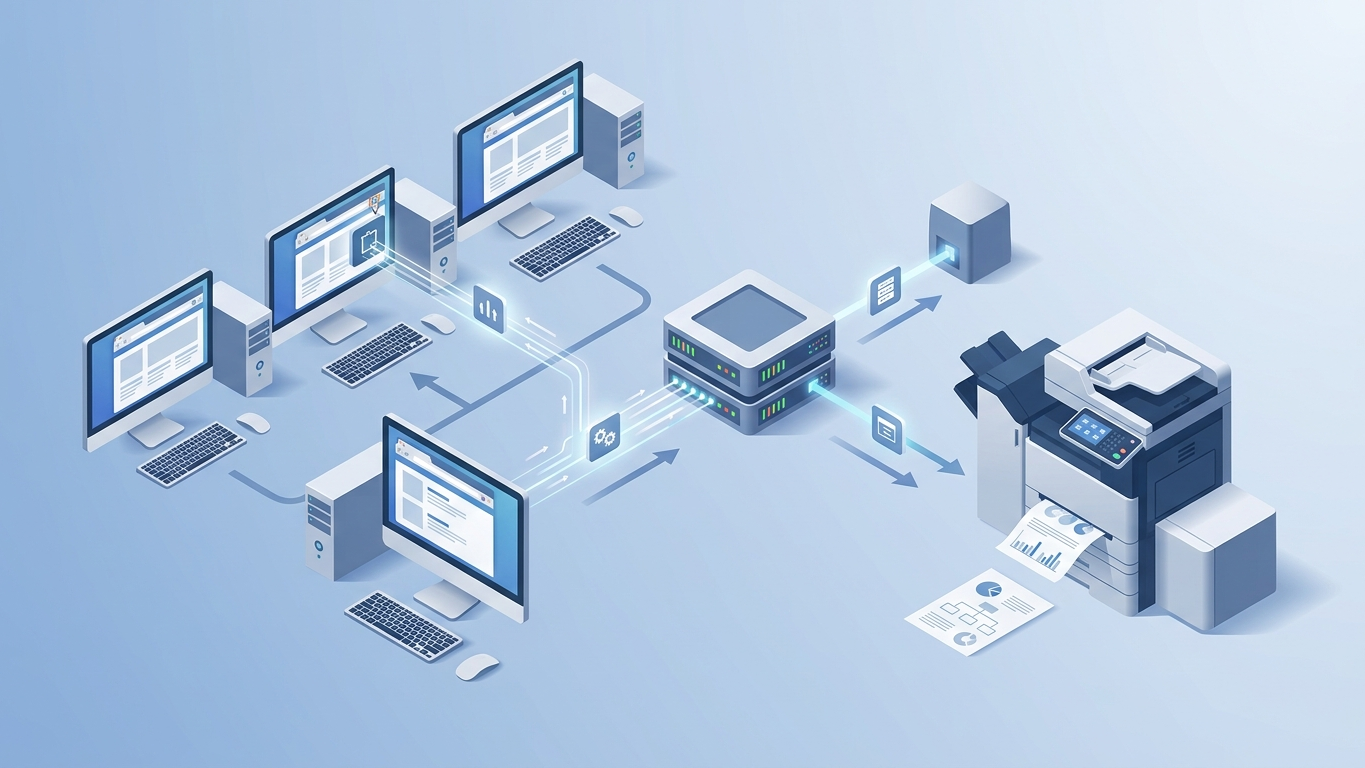
The technical workflow is straightforward. When you click print in Odoo Online, the Ultraprint extension intercepts the print request before it reaches the browser's default PDF handler. The extension communicates with the Ultraprint Hub, which manages your printer connections and print queue.
The Hub can run on any device on your network: a local workstation, a dedicated mini PC, or even a Raspberry Pi. It handles the communication between the browser extension and your printers, whether they are connected via USB, WiFi, or Ethernet.
This architecture separates the concerns elegantly. Odoo Online handles your business data and generates the documents you need to print. The Ultraprint extension captures those documents at the browser level. The Ultraprint Hub manages the physical printing infrastructure. Each component does what it does best.
Architecture Components
- Browser Extension captures print requests from Odoo Online
- Ultraprint Hub manages printer connections and queues
- Local Network keeps all document traffic internal
Setup Guide: Install Extension, Connect to Ultraprint Hub, Print
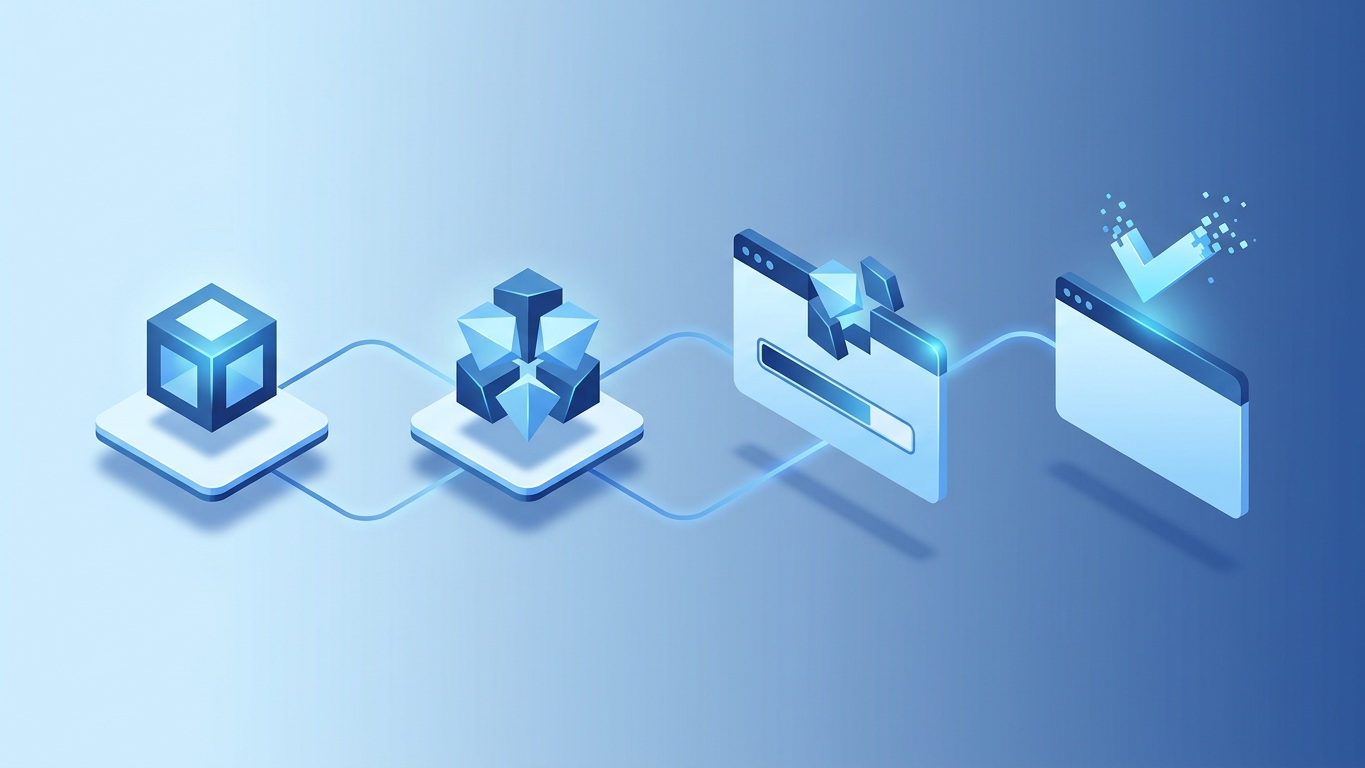
Getting started with Ultraprint takes minutes, not hours.
Step 1: Install the Browser Extension
Navigate to the Chrome Web Store and install the Ultraprint extension. The extension is available at https://chromewebstore.google.com/detail/egnkokhogiajehjenibclocdgihbon. Once installed, the extension icon will appear in your browser toolbar.
Step 2: Set Up Ultraprint Hub
Download and install the Ultraprint Hub on a device that has access to your printers. The Hub software is lightweight and runs on Windows, macOS, and Linux. During setup, you will configure which printers the Hub should make available to your browser extension.
Step 3: Connect Extension to Hub
Open the Ultraprint extension in your browser and enter the connection details for your Hub. The extension will discover available printers automatically. Select the default printer for your Odoo Online workflow.
Step 4: Print from Odoo Online
Navigate to any document in Odoo Online that you need to print: an invoice, a delivery order, a product label. Click the print button as you normally would. Instead of downloading a PDF, the document will route directly to your configured printer.
The entire process takes less than ten minutes to set up, and once configured, printing becomes a single-click operation.
Benefits: No Installation, Works on Any OS, Instant Printing

Ultraprint delivers several advantages that make it the optimal solution for Odoo Online users.
No Server Installation Required
Because Ultraprint operates at the browser level, you never need to install anything on Odoo's servers. This bypasses the core limitation of Odoo Online. You get printing functionality without violating platform policies or waiting for approval.
Cross-Platform Compatibility
The browser extension works on any operating system that supports Chrome or Chromium-based browsers. Windows, macOS, and Linux users can all print seamlessly. Your warehouse team can use Windows workstations while your executives use MacBooks, and everyone prints to the same infrastructure.
Instant Printing Without Workarounds
No more downloading PDFs, opening them in external applications, and manually sending them to print. No more training staff on multi-step workflows that invite errors. Ultraprint restores the single-click printing experience that users expect from business software.
Scalable Architecture
As your business grows, Ultraprint scales with you. Add more printers to your Hub. Deploy the extension to additional workstations. Connect multiple Hubs across locations. The architecture supports complex printing environments without adding complexity to your workflow.
Secure by Design
Print jobs travel from your browser to your local Hub over your own network. Documents do not route through external servers or cloud services unless you specifically configure them to do so. Your sensitive business documents stay under your control.
Summary
Odoo Online's restriction on custom add-ons creates a significant barrier for businesses needing direct printing capabilities. While the IoT Box offers a hardware-based solution, it requires upfront investment and ongoing maintenance. Ultraprint provides a software-only alternative that works entirely within your browser, bypassing Odoo Online's limitations without violating platform policies. The browser extension captures print jobs at the client level, routes them through a local Hub, and delivers documents to your printers in seconds. Setup takes under ten minutes, works across all major operating systems, and requires no server-side installation.
Frequently Asked Questions
Can I use Ultraprint with any printer?
Yes, Ultraprint works with any printer that your operating system can access. This includes USB-connected printers, network printers via WiFi or Ethernet, and shared printers on your local network. The Ultraprint Hub detects available printers automatically and makes them accessible to the browser extension.
Does Ultraprint work with browsers other than Chrome?
Ultraprint is currently available for Chrome and Chromium-based browsers including Microsoft Edge, Brave, and Opera. The extension leverages Chrome's printing APIs to intercept and redirect print jobs. Support for Firefox and Safari is planned for future releases.
Is my data secure when using Ultraprint?
Yes. Ultraprint processes print jobs locally on your network. Documents travel directly from your browser to the Ultraprint Hub without passing through external cloud servers. Your sensitive business documents never leave your controlled environment unless you explicitly configure cloud-based features.
Will using Ultraprint violate my Odoo Online terms of service?
No. Ultraprint operates entirely within your browser and does not interact with Odoo's servers in any way that violates terms of service. Odoo Online sees only standard browser activity. The extension does not modify Odoo's code, access restricted APIs, or install anything on Odoo's infrastructure.
Can multiple users share the same Ultraprint Hub?
Yes. The Ultraprint Hub can accept connections from multiple browser extensions simultaneously. This makes it ideal for office environments where several employees need to print to shared printers. Each user installs the browser extension individually, but they all connect to the same Hub that manages the printer queue.
Stop Wrestling with PDF Exports. Print Directly from Odoo Online.
Ultraprint eliminates the friction of printing from Odoo Online. No hardware to buy, no add-ons to install, no workarounds to manage. Just install the extension, connect to your Hub, and print like you would from any desktop application.
References
- Odoo Documentation — "Odoo Online vs On-Premise" (2025). https://www.odoo.com/documentation/master/administration/on_premise.html
- Odoo IoT Box Documentation — "Connect Printers to Odoo" (2025). https://www.odoo.com/documentation/master/applications/productivity/iot.html
- Chrome Web Store — "Ultraprint Extension" (2025). https://chromewebstore.google.com/detail/egnkokhogiajehjenibclocdgihbon
- Schema.org — "Article Structured Data" (2026). https://schema.org/Article
- Schema.org — "FAQPage Structured Data" (2026). https://schema.org/FAQPage
- Google Search Central — "Structured Data Guidelines" (2026). https://developers.google.com/search/docs/appearance/structured-data/intro
Get the Extension and Get the Ultraprint Hub
If you are an Odoo Online user who needs direct printing, Ultraprint is the solution you have been waiting for. Install the browser extension from the Chrome Web Store and set up your Ultraprint Hub ($99 one-time license) today.
The extension is available here: https://chromewebstore.google.com/detail/egnkokhogiajehjenibclocdgihbon
Visit ultraprint.io to learn more about the $99 one-time Hub license, $39 one-time Odoo add-on, advanced features, and optional support options. Join the businesses that have already eliminated printing friction from their Odoo Online workflow.
Stop accepting workarounds. Start printing directly.