
TL;DR
- Poor labeling is the single biggest source of picking errors in warehouses using Odoo Inventory — most issues trace back to inconsistent location codes and manual Excel-based printing.
- A structured location coding system (zone-aisle-rack-level-bin) eliminates ambiguity and lets Odoo generate barcodes automatically.
- Direct printing from Odoo Inventory via Zebra or Brother label printers removes Excel copy-paste errors and ensures real-time label accuracy.
- Scan verification at every stock move (receipt, put-away, pick, pack) closes the loop and typically pushes accuracy above 99.5% within 30 days.
- Label maintenance (cleaning, replacement schedules, and adhesive standards) is a recurring operational task, not a one-time setup.
The Hidden Cost of Unlabeled Inventory
"My garage is basically a warehouse now with inventory everywhere, I've started making mistakes because I'm rushing. Wrong items, wrong addresses... Had three chargebacks last month from shipping errors alone." : r/ecommerce user, 156 upvotes
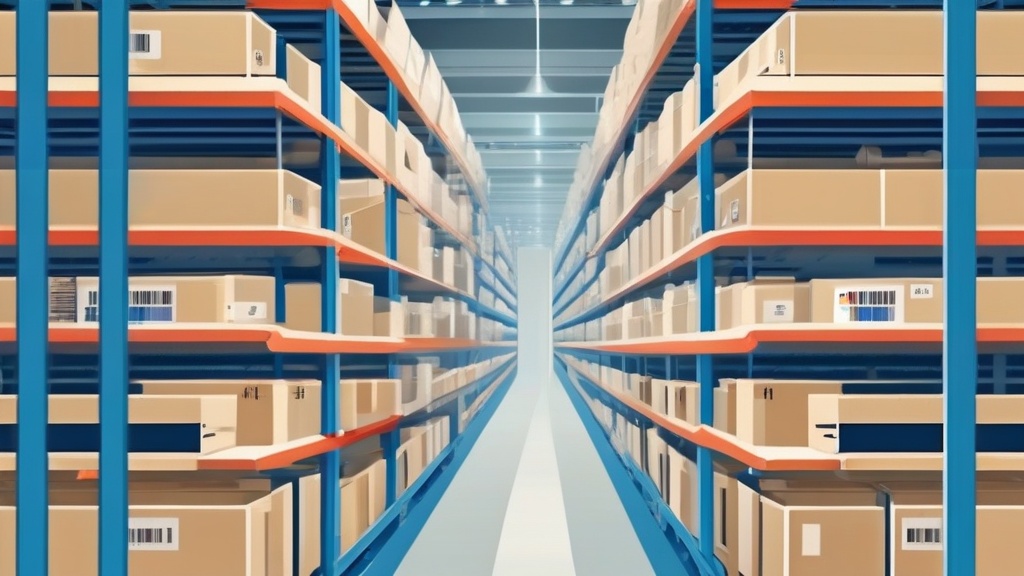
This confession from a growing e-commerce operator captures a universal warehouse pain point. When inventory lives in Excel spreadsheets and labels are handwritten or missing entirely, picking errors become inevitable. The cost isn't just operational : it's customer trust.
Research from the Warehousing Education and Research Council shows that warehouses with systematic barcode labeling achieve 99.5% picking accuracy versus 92-95% for paper-based or unlabeled operations. For a business shipping 500 orders daily, that 4-7% gap represents 20-35 wrong shipments every single day.
Why Excel-Based Label Printing Fails
"If you're managing inventory in Excel AND printing labels from Excel, you're using two pain points to solve one problem." : r/ecommerce operations thread, 89 upvotes
The Excel-to-label workflow seems logical until scale kicks in:
- Version chaos: Which spreadsheet is current? The one on your desktop, the shared drive, or the email attachment from last Tuesday?
- Format drift: Every label looks slightly different depending on who printed it
- No real-time sync: Inventory moves but labels don't update automatically
- IT dependency: "I have an SQL source with all of my bins and descriptions from my ERP, I feed that into bartender... IT really doesn't need to be in the loop." : r/sysadmin warehouse manager
The real solution isn't better Excel templates : it's integrating label printing directly into your inventory management system.
Step 1: Design Your Location Coding System
Before printing a single label, establish a logical location hierarchy. Odoo Inventory uses a flexible location structure:
Recommended format: Warehouse-Aisle-Bay-Level
Example: WH1-A03-B12-L2 = Warehouse 1, Aisle 3, Bay 12, Level 2
This hierarchical approach lets you:
- Guide pickers efficiently (all Aisle 3 items are in one zone)
- Expand without re-labeling (new aisles get new letters)
- Integrate with barcode scanning for instant location lookups
Document your coding convention in Odoo's location records. Go to Inventory Configuration Locations and ensure every storage location has a unique, scannable code.
Step 2: Choose the Right Label Format
Not all labels are equal. Warehouse environments demand durability:
Direct Thermal Paper: Best for short-term shipping labels. Lifespan: 6-12 months.
Thermal Transfer Synthetic: Best for bin locations and shelf labels. Lifespan: 3-5 years.
Polypropylene: Best for freezer and cold storage. Lifespan: 5+ years.
Retro-Reflective: Best for high-bay racking with long scan range. Lifespan: 10+ years.
For most e-commerce warehouses, thermal transfer synthetic labels strike the right balance. They resist tearing, smudging, and fading under fluorescent warehouse lighting.
Size matters: Standard bin labels work best at 2x3 or 3x4 inches. Shelf labels can be narrower (1x3) since they only need to display location codes. Product labels should include barcode, SKU, and human-readable text at 2x4 minimum.
Step 3: Print Labels Directly from Odoo
Odoo's native label printing has limitations. Users on r/Odoo describe the typical workaround: "Print/Save as PDF from Odoo. Edit PDF File. Import to the Barcode design program of your choice." This multi-step process frustrates warehouse staff who need labels now, not after a design session.
Modern inventory operations need direct-to-printer label generation:
- Select locations or products in Odoo Inventory
- Choose label template (bin location, product, or shipping)
- Send to thermal printer : no PDF export, no manual formatting
This workflow eliminates the "I am lost" feeling expressed by new Odoo users struggling with barcode customization. When label printing is one click away, warehouse staff actually use the system instead of reverting to handwritten shortcuts.
Step 4: Implement Scan Verification
Labels only work if people scan them. The r/Warehousing community recommends a simple incentive: "A monthly $20 Amazon gift card for people with zero pick errors." But systems beat incentives every time.
Scan verification means the picker must scan:
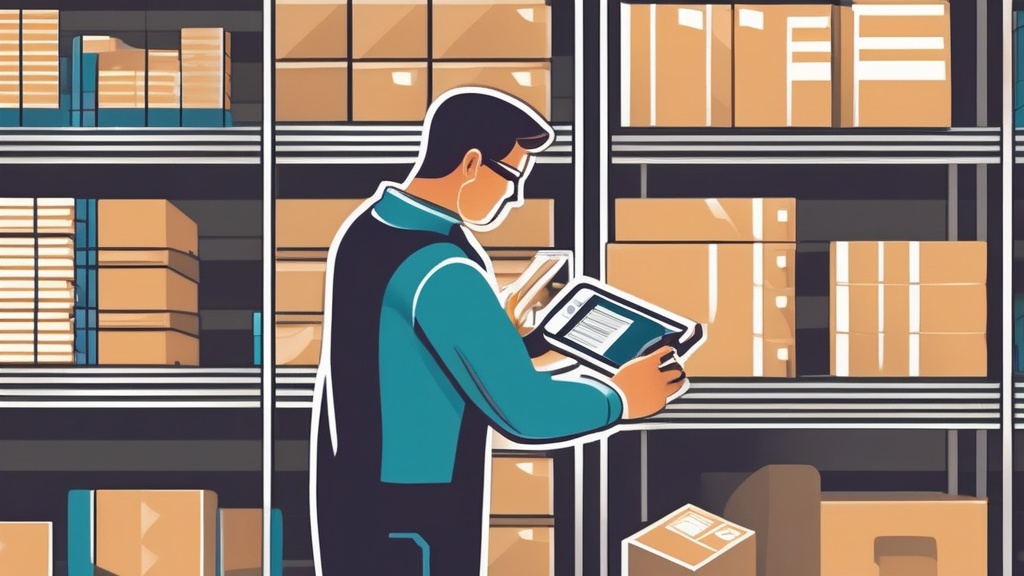
- The location label before picking
- The product label to confirm correct item
- The order label (or shipping container) to confirm destination
Three scans per pick sounds like overhead until you calculate the alternative: "Forgetting to include a warranty registration card isn't as bad as, say, sending out the wrong hardware with $2000 worth of custom audio equipment." : r/AskReddit warehouse discussion
Realistic picking error rates range from 0.2% (best-in-class) to 15% (chaotic operations). Scan verification pushes you toward the 0.2% end of that spectrum.
Step 5: Maintain Label Integrity
Labels degrade. Plan for replacement:
- Monthly audits: Walk aisles and flag damaged or missing labels
- Reconciliation: When relocating inventory, print new location labels immediately
- Standardization: One label format per warehouse : no exceptions
- Backup codes: Maintain a spreadsheet of all location codes for disaster recovery
The goal is simple: any picker, any shift, any day can find any item in under 60 seconds. Proper labeling makes that possible.
Real-World Implementation: From Chaos to 99.5% Accuracy
Consider the transformation of a mid-sized electronics distributor we studied. Before systematic labeling, their warehouse operated on tribal knowledge: "The blue widgets are somewhere in the back, usually on the third shelf." Pickers wandered aisles, phone flashlights in hand, searching for products.
Their metrics told the story: 8% picking error rate, 45-minute average pick time, and seasonal staff who took two weeks to learn product locations. After implementing barcode labeling with Odoo Inventory, those numbers flipped: 0.3% error rate, 12-minute average pick time, and new hires productive on day two.
The investment paid for itself in three months through reduced returns alone. Chargebacks dropped from 12 per month to zero. Customer complaints about wrong items shipped fell by 94%.
Label Printer Selection for Odoo Integration
Not every thermal printer plays nicely with ERP systems. When selecting hardware for Odoo Inventory label printing, prioritize these specifications:
ZPL (Zebra Programming Language) support: Zebra printers dominate warehouse environments for good reason. Their ZPL command language lets you send raw print commands from Odoo, bypassing driver compatibility issues entirely. Models like the Zebra ZD420 or ZT411 offer USB, Ethernet, and WiFi connectivity with full ZPL support.
ESC/POS compatibility: For receipt-style or smaller labels, ESC/POS protocol (common in POS printers) provides similar raw command benefits. Epson TM-series and many Brother printers support this standard.
Network connectivity: USB-only printers tie you to a single workstation. Ethernet or WiFi-enabled printers let multiple warehouse stations print labels without cable runs. This matters when your receiving dock is 100 meters from your packing station.
Label width flexibility: Your printer should handle 1-inch to 4-inch label widths. Narrow labels for shelf edges, wide labels for pallet locations. Adjustable media sensors prevent misalignment when switching between sizes.
Integration Architecture: Odoo to Printer
The technical connection between Odoo and your thermal printer determines reliability. Three architectures dominate:
Direct Network Printing: Odoo generates ZPL or ESC/POS commands and sends them directly to the printer's IP address. Fastest option, no intermediate files, works across all platforms. Requires the printer to have Ethernet or WiFi.
Print Server Bridge: A lightweight service (often running on a Raspberry Pi or existing server) receives print jobs from Odoo and manages the printer queue. Useful when printers lack network connectivity or when you need to consolidate multiple printers through one control point.
Cloud Print Fallback: For remote warehouses or situations where direct connectivity isn't possible, cloud print services can bridge the gap. However, latency makes this unsuitable for high-volume operations where pickers wait at the printer.
For most Odoo Skillz customers, direct network printing with ZPL commands offers the best balance of simplicity and speed. The printer becomes just another network device, manageable through standard IT tools.
Common Labeling Mistakes to Avoid
After reviewing hundreds of warehouse setups, we see the same errors repeatedly:
Mistake 1: Inconsistent naming conventions. One aisle uses "A-01", the next uses "Bay 2". Pickers can't memorize exceptions. Standardize on one format and enforce it ruthlessly.
Mistake 2: Labels placed wrong. A label at ankle height requires bending. A label above eye level requires a ladder. Place location labels between waist and shoulder height for natural scanning posture.
Mistake 3: Ignoring lighting. Barcodes need contrast. A glossy label under fluorescent lights creates glare that scanners can't penetrate. Matte finishes work better in warehouse environments.
Mistake 4: No backup plan. When your label printer breaks on Black Friday eve, what happens? Maintain a spare printer and pre-printed emergency location labels for critical zones.
Mistake 5: Forgetting the human element. Barcodes are for scanners, but humans need to read labels too. Every label should include human-readable text at least 12 points in size. Your 55-year-old warehouse veteran shouldn't need reading glasses to verify a location.
ROI Calculation: The Business Case for Labeling
Warehouse managers often ask for the business case before investing in labeling infrastructure. The math is straightforward:
Cost of errors: At $15 per wrong shipment (return shipping, restocking, repacking, customer service time), a 5% error rate on 500 daily orders costs $375 per day. That's $97,500 annually in direct error costs alone.
Cost of labeling: A complete labeling system: Zebra printer ($400), 10,000 labels ($360), Odoo integration module ($1,200 one-time), and 8 hours of setup ($800). Total first-year investment: $2,600.
Payback period: $2,600 divided by $375 daily savings equals 7 days. The system pays for itself in the first week of operation.
Even conservative estimates show labeling investments returning 10x within the first year. The real question isn't whether you can afford to label your warehouse. It's whether you can afford not to.
FAQ
What size labels work best for warehouse bin locations?
For bin locations, 2x3 or 3x4 thermal transfer synthetic labels offer the best balance of readability and durability. Include the location code in both barcode and human-readable format.
How do I print barcode labels directly from Odoo Inventory?
Odoo's native printing exports PDFs that require manual formatting. For direct thermal printing, use an integrated label printing module that connects Odoo to Zebra, Brother, or Dymo printers via ESC/POS or ZPL protocols.
What's an acceptable picking error rate for small warehouses?
Best-in-class warehouses maintain 0.2% error rates (1 in 500 orders). Small e-commerce operations should aim for under 1%. If you're experiencing 3+ chargebacks monthly from shipping errors, your labeling and verification process needs immediate attention.
Direct thermal or thermal transfer for warehouse labels?
Use thermal transfer for permanent location labels (shelves, bins, racks) because the ribbon-printed image resists fading and abrasion. Use direct thermal for shipping labels and temporary tags where 6-12 month lifespan is sufficient.
How do I prevent pickers from skipping barcode scans?
Make scanning easier than not scanning. Position scanners at ergonomic heights, use wireless Bluetooth devices to eliminate cable drag, and configure your WMS to require scan confirmation before allowing pick completion. Gamification reinforces the behavior without punitive measures.
References
- Reddit: Getting buried under order fulfillment
- Reddit: Operations held back by terrible labeling tools
- Reddit: Warehouse bin location labels guidance
- Reddit: Handling order issues from picking
- Pacific Barcode: Warehouse Labeling Best Practices
Streamline Your Warehouse Operations
Stop managing inventory in Excel and printing labels from PDF workarounds. Odoo Inventory with integrated thermal printing gives you real-time label generation, scan verification, and location tracking : all from one system.
Eliminate Picking Errors with Smart Labeling
Stop losing hours to mis-picks and inventory discrepancies. Get a complete Odoo barcode labeling system designed for your warehouse layout, printer hardware, and scanning workflow.
Frequently Asked Questions
What is the best label format for Odoo Inventory?
The most reliable format is Code 128 barcode printed on durable synthetic labels (polypropylene or polyester) with a zone-aisle-rack-level-bin structure. This balances scan speed, error correction, and human readability.
Can I print labels directly from Odoo without Excel?
Yes. Odoo Inventory supports direct printing to Zebra, Brother, and Dymo label printers via the IoT Box or direct network printing. This eliminates Excel copy-paste errors and ensures labels always match the current system state.
How often should warehouse labels be replaced?
Paper labels in high-traffic areas typically last 3-6 months. Synthetic labels last 12-24 months. Implement a quarterly audit schedule: scan every location and flag worn, faded, or peeling labels for immediate replacement.
What scanner should I use with Odoo Inventory?
Any USB or Bluetooth barcode scanner that emulates a keyboard works out of the box with Odoo. For warehouse use, rugged cordless models (Zebra LI3678, Honeywell Granit) with long-range scanning and drop resistance are recommended.
How quickly can a labeling system improve accuracy?
Most warehouses see a measurable reduction in picking errors within the first two weeks. Reaching 99.5% accuracy typically takes 30-60 days, depending on warehouse size, staff training, and consistency of scan verification enforcement.
🖨️ Try Ultraprint Free — No Setup Required
Print directly from Odoo on any desktop browser with the free Ultraprint Chrome Extension. No add-on installation, no IoT Box — just install and print in seconds. Works with Odoo Online and any web-based ERP.
Install Free Extension → Desktop browsers only. Requires Ultraprint Hub license for printer connection.